AI Fleet Assistant: Ask About Your Vehicles in Plain Words
Instead of digging through menus and reports, type your question to the AI assistant inside the Amancom tracking platform and it answers from your vehicle data. The images are real screenshots from a demo fleet (Arabic interface).
The assistant sits beside the live map
No extra app or separate screen: watch your vehicles on the map and ask on the same screen.
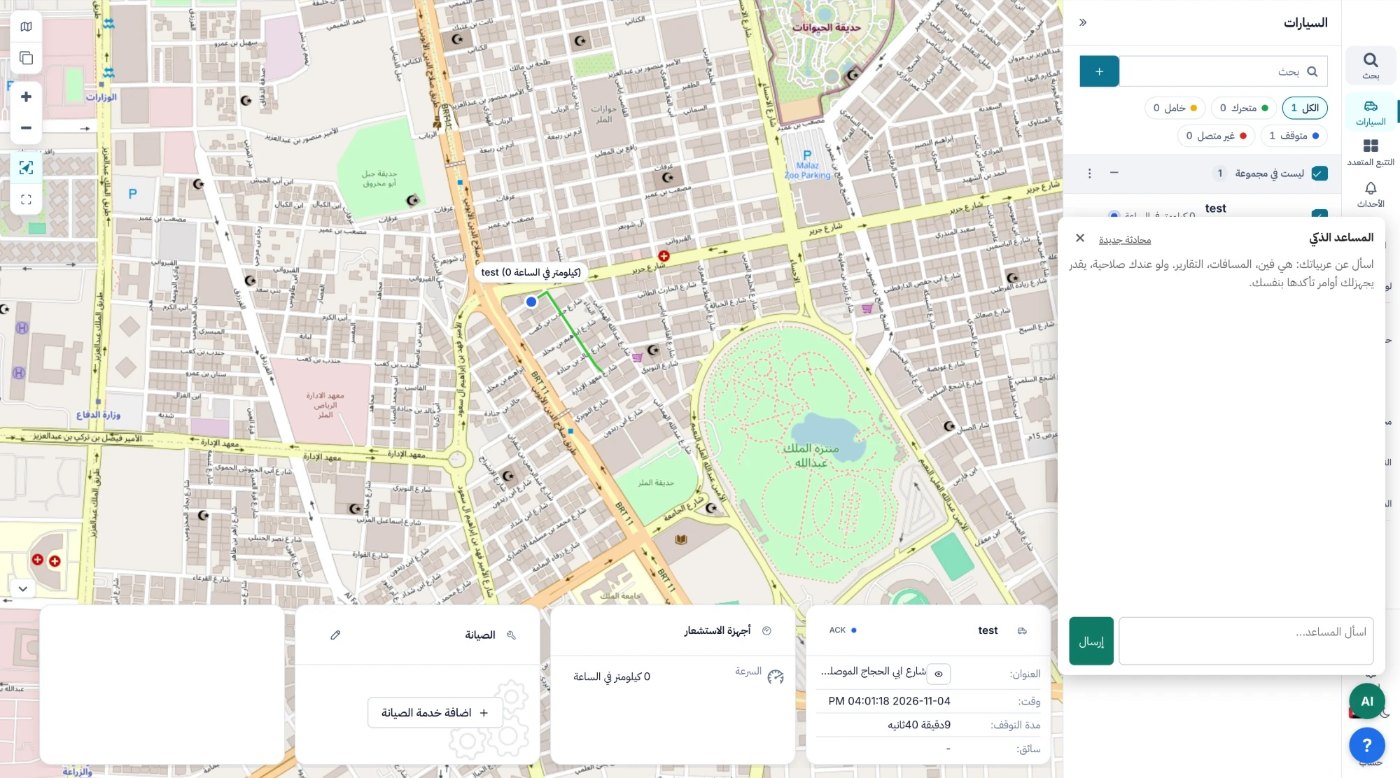
What can you ask?
Ask the way you would ask a colleague in operations.
Location
"Where is vehicle 12 now?" The answer includes status, last location and the time of the last signal.
Distance
"How far did this vehicle drive today?" or "this week?"
Alerts
"Who went over the speed limit today, and where?" with time, speed and place.
Reports
A quick summary of speed, trip and stop reports instead of opening the full report.
Driver behaviour
Vehicles with the most violations, so you know who needs follow-up.
Commands
Authorised users only: the assistant prepares the command, and it runs only after you confirm it.
Every alert is on record
The assistant reads the same data you see in the platform, so its answers match the event log.
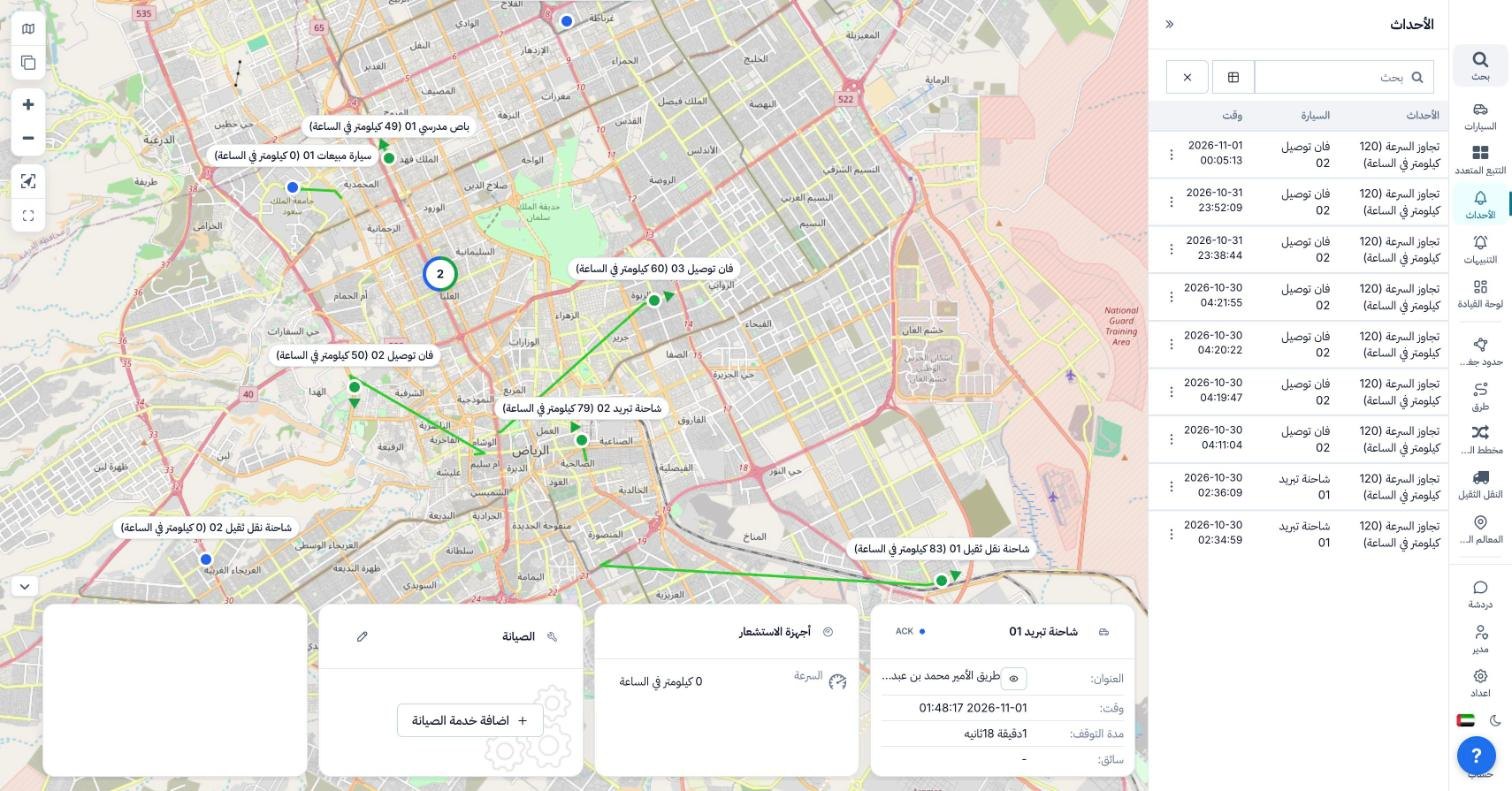
Violation log
Every speeding event above the limit you set, with vehicle and time.
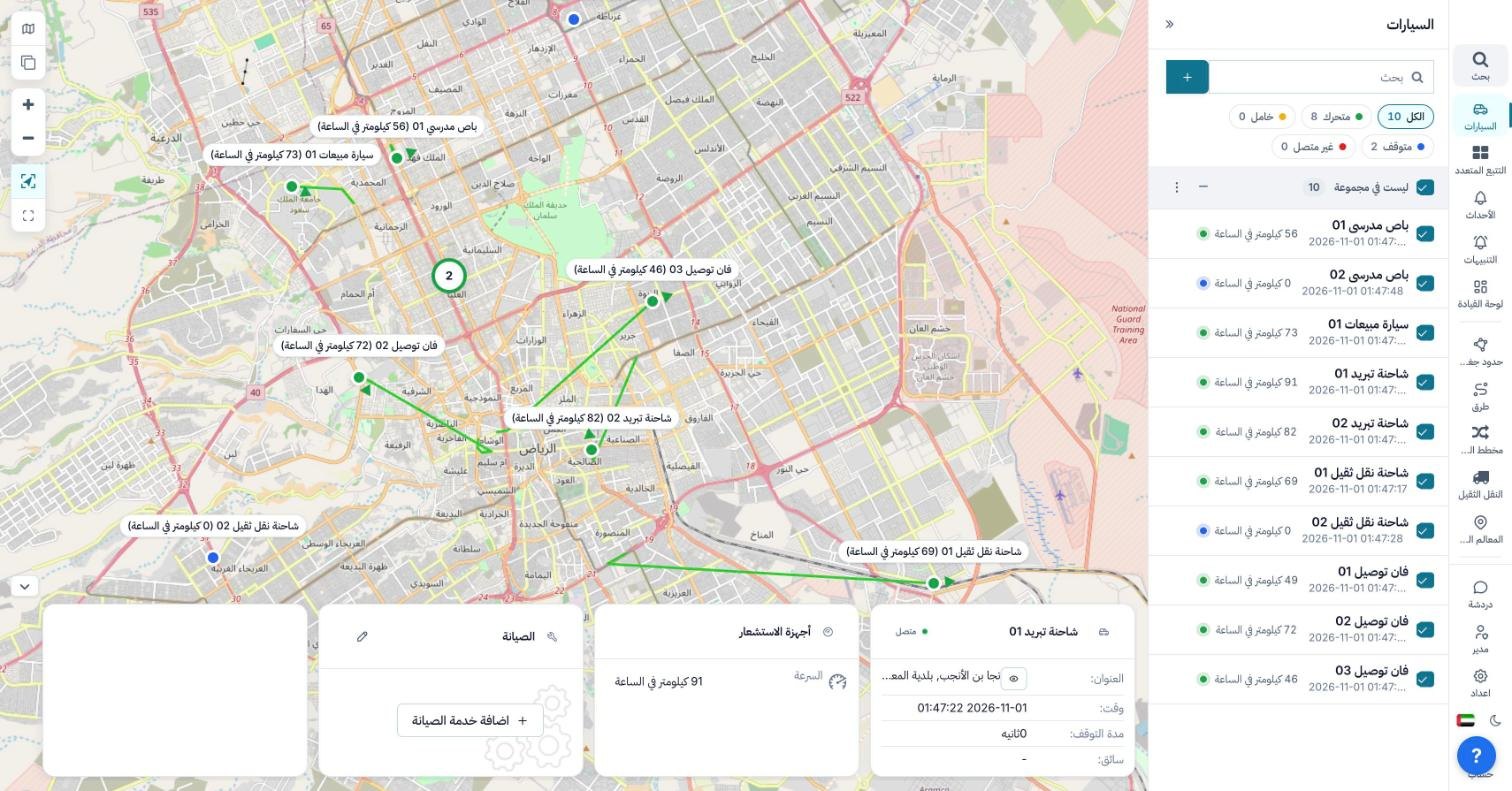
Live tracking
Each vehicle's name, speed and route, and which ones are moving or parked.
How to start
The assistant is part of the tracking platform, so nothing extra is installed in the vehicle.
- Log in to the tracking platform from a browser on desktop or mobile
- Open the assistant; it appears beside the map
- Ask your question: location, distance, alerts or a report
- If you asked for a command, review and confirm it before it runs
AI assistant FAQ
What is the AI assistant in the tracking platform?
An assistant inside the Amancom tracking platform that you ask about your fleet in plain words. It reads your vehicle data and answers about location, distance, alerts and reports.
Can the assistant send commands to a vehicle on its own?
No. For authorised users it prepares the command, and it runs only after the user reviews and confirms it.
Do I need extra hardware?
No. The assistant works on the data your tracking device already sends to the platform.
Can I use it on my phone?
Yes, from the browser on a phone or a computer, with your usual platform account.
Are these screenshots from a customer account?
No. They come from a demo fleet; names and numbers are not customer data. The interface in the images is Arabic.
See the assistant on your fleet
Request a demo and we will show the assistant answering real questions in the platform.